Your 3D Models.
One Powerful Workspace.
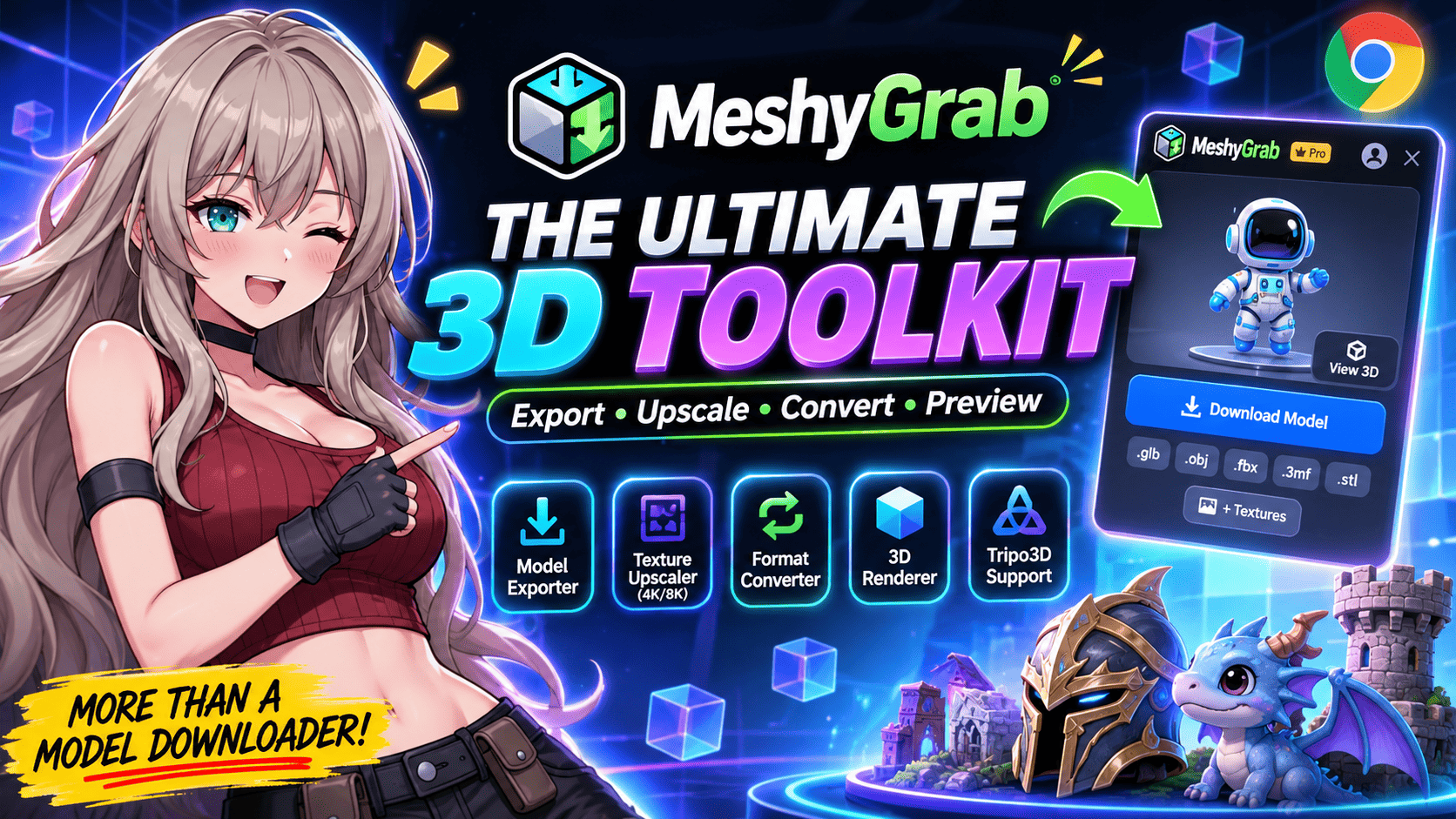
View and render 3D models, convert files between supported formats, upscale PBR textures to 4K and 8K, and export models and textures from Meshy AI and supported community sources.
Built for 3D artists, game developers, designers, 3D printing enthusiasts, and AI creators. Independent third-party product not affiliated with Meshy or Tripo3D.
Six Powerful Tools. One Seamless Platform.
MeshyGrab unites viewing, conversion, AI texture upscaling, and model exports into a unified creator workspace.
3D Workspace & Model Viewer
Inspect, rotate, and render 3D models with real-time materials, lighting controls, wireframe analysis, and polygon metrics directly in your browser.
Universal 3D Model Converter
Import supported 3D model files from any source and seamlessly convert between GLB, OBJ, FBX, STL, and 3MF formats for game engines, DCC apps, or 3D slicers.
4K & 8K PBR Texture Upscaler
Transform standard 2K textures into crystal-clear 4K and 8K resolution. AI-enhanced detail sharpening preserves normal maps, roughness, metallic, and displacement.
Meshy AI Workspace Exports
Instantly preview and export the 3D models you generate in your Meshy workspace in all supported formats (GLB, OBJ, FBX, STL, 3MF) with zero API tokens required.
Community Model Downloads
Discover and download assets from the Meshy Discover community and Tripo3D Studio, with automated format conversion ready for your creative projects.
PBR Texture Extraction
Download individual PNG material channels separately from 3D meshes. Connect seamlessly into Blender shader nodes, Unreal Engine materials, or Unity URP/HDRP.
All-In-One 3D Toolkit In Action
Switch seamlessly between our real-time 3D model viewer, universal format converter, and AI PBR texture upscaler — all built directly into your browser workflow.
Online 3D Model Viewer & Workspace
Render and inspect your 3D models directly inside MeshyGrab’s interactive workspace. You don't just export blindly—verify topology, lighting, and materials before downloading.
📁 Bring Your Own 3D Files
Bring existing 3D files from outside MeshyGrab into the online 3D model viewer. Drag and drop any supported model to instantly render, rotate, and evaluate geometry without desktop software.
Meshy AI & Tripo3D Workflows, Demystified
MeshyGrab clearly separates personal workspace model exports from community showcase downloads, ensuring transparent quota accounting and seamless format conversion.
Meshy AI Workspace Models
Direct export of models you have generated in your private Meshy workspace. Access all formats without manual API tokens.
MeshyGrab interacts locally in your browser session. No developer API credentials, API key purchases, or authentication tokens required.
* MeshyGrab is an independent third-party tool and is not affiliated with, endorsed by, or sponsored by Meshy (Meshy AI) or Tripo3D. Meshy and Tripo3D trademarks belong to their respective owners.
Separate PBR Texture Channels
Exported as lossless 8-bit / 16-bit PNG files
Unlit true surface color map without baked lighting or directional shadows, ready for PBR material inputs.
RGB tangent-space normal vectors simulating intricate surface relief, bevels, cloth weaves, and sculpt details.
Precise grayscale maps that dictate mirror-sharp reflection versus rough micro-facets, as well as conductor versus dielectric properties.
Pre-computed contact shadows and crevice darkening that add three-dimensional depth and volumetric weight.
PBR Texture Extraction & PNG Exports
Don’t let your materials remain locked inside monolithic model files. MeshyGrab extracts each distinct PBR texture map into clean, individual PNG files for complete shader control.
Plug Directly Into DCC Shaders
Drop individual maps straight into the Principled BSDF in Blender, Autodesk Maya Arnold, or 3ds Max V-Ray without manual unpacking.
Game Engine Channel Packing Ready
Prepare textures for Unreal Engine 5 (ORM packing: Occlusion, Roughness, Metallic) or Unity URP/HDRP mask maps.
Upscale Before Export
Combine texture extraction with the 4K/8K PBR Texture Upscaler to get ultra-high-definition material maps in lossless PNG format.
Fragmented 3D Workflows Slow Creators Down.
Generating or finding a 3D asset is only the first step. Artists and developers waste hours juggling standalone converters, wrestling with low-res 2K textures, and handling restricted platform exports. MeshyGrab unites 3D model viewing, format conversion, 4K/8K PBR upscaling, and direct exports into one clean browser workspace.
Raw 2K GLB
Acquired or generated as raw 2K GLB files with restricted options.
Format Barriers
Incompatible with Unreal, Unity, Blender, or 3D printer slicers.
Low-Res Textures
Textures blur and lose fidelity at 2K resolution in camera view.
Tool Juggling
Disconnected third-party converters, scripts, and export limits.
One Workspace
MeshyGrab solves inspection, conversion, 8K & exports in 1 app.
Workflow Comparison
Stop juggling disjointed tools. Handle your complete 3D asset pipeline in MeshyGrab.
Fragmented Process
All-in-One 3D Toolkit
Designed for 3D artists, game developers, 3D printing enthusiasts, and indie studios.
How It Works
From raw 3D assets to production-ready GLB, OBJ, FBX, STL, 3MF and 4K/8K textures in four streamlined steps.
Import or Connect
Bring your existing 3D files into the workspace, or open MeshyGrab on Meshy AI and Tripo3D with one click.
Inspect & Render
Preview models in real time with interactive lighting, wireframe mode, shader analysis, and polygon metrics.
Convert & Upscale
Convert formats between GLB, OBJ, FBX, STL, and 3MF, and upscale PBR textures to crisp 4K or 8K resolution.
Export Clean Files
Download production-ready 3D geometry and crisp PNG texture maps ready for Unreal, Unity, Blender, or 3D slicers.
Intuitive browser extension & workspace
MeshyGrab works right alongside your Meshy workspace, Tripo3D Studio, and local files. Inspect geometry in real time, choose your target format (GLB, OBJ, FBX, 3MF, or STL), upscale PBR textures up to 8K, and export with zero friction.
Client-side rendering. Zero API key configuration.
Engineered for Modern 3D Creators
From real-time geometry inspection to neural 4K/8K PBR upscaling and universal file conversion, MeshyGrab powers every step of your 3D workflow.
3D Workspace & Model Viewer
Inspect, rotate, and render 3D models with real-time lighting, material preview, and wireframe view inside MeshyGrab.
Universal 3D Format Converter
Seamlessly convert assets between GLB, OBJ, FBX, STL, and 3MF for Blender, Unreal Engine, Unity, and 3D printing slicers.
4K & 8K PBR Texture Upscaler
AI neural upscaling sharpens 2K textures to ultra-high 4K and 8K, preserving normals, roughness, metallic, and displacement maps.
Meshy AI Workspace Exports
Directly export your generated Meshy models in any format with full client-side security and zero API hassle.
Community Model Downloads
Access and export community models from Meshy Discover and Tripo3D Studio with built-in format conversion.
Separate PBR Texture Extraction
Extract individual high-resolution PNG texture maps (Albedo, Normal, Roughness, Metallic, AO) ready for your game shaders.
Who is MeshyGrab for?
MeshyGrab is built for 3D artists, game developers, designers, 3D printing enthusiasts, indie creators, and AI modelers who need a streamlined toolkit to inspect, convert, enhance, and export 3D models.
Whether you work with Meshy AI, Tripo3D, or your own local 3D models, MeshyGrab accelerates your asset preparation and export workflow.
Ready to Supercharge Your 3D Workflow?
Get started free with interactive 3D viewing, test conversions, and initial exports. Upgrade to Pro for unlimited workspace model exports, universal conversions, 4K & 8K PBR texture upscaling, and multi-account access.
Flexible monthly, annual, and lifetime options. Cancel anytime.
Clear & honest privacy stance
MeshyGrab is an independent third-party Chrome extension. You do not need to manually supply a Meshy API token.
Our minimal backend infrastructure exists primarily for installation registration, download entitlement, free-download accounting, subscription status, and usage tracking. The actual model file download remains client-side.
Frequently Asked Questions
Everything you need to know about MeshyGrab.
MeshyGrab is an all-in-one 3D asset toolkit combining an interactive 3D model viewer and renderer, a universal model format converter (GLB, OBJ, FBX, STL, 3MF), an AI PBR texture upscaler (up to 4K and 8K), workspace model exports from Meshy AI, and community model downloads from Meshy Discover and Tripo3D Studio.
No. MeshyGrab does not generate 3D models. It is a post-generation and asset utility designed for 3D creators: bringing existing files into an online workspace, previewing, converting formats, upscaling textures, and exporting files from supported platforms.
MeshyGrab supports the primary industry-standard 3D formats: GLB, OBJ, FBX, STL, and 3MF. You can import existing files into the 3D workspace for real-time inspection or convert between supported formats for game engines (Unreal, Unity), DCC tools (Blender, Maya), or 3D slicers (Bambu Studio, Cura, PrusaSlicer).
The PBR Texture Upscaler uses specialized neural enhancement to increase texture resolution from standard 2K outputs up to crisp 4K and 8K. It preserves and sharpens critical material maps—including Base Color (Albedo), Normal maps, Roughness, Metallic, Height, and Ambient Occlusion—without introducing blurred artifacts.
Yes. MeshyGrab allows you to extract individual high-resolution PNG texture maps directly from supported 3D assets, making it seamless to plug them into your custom material shaders or render pipelines.
Meshy Workspace models are 3D assets generated in your own Meshy account, which can be exported in all supported formats (GLB, OBJ, FBX, STL, 3MF) and texture maps. Community models are pre-generated assets from Meshy Discover or Tripo3D Studio, which have separate monthly or annual quotas depending on your plan tier.
Tripo3D support is included with Pro Max, Pro Annual, and Lifetime plans. It allows you to access and download community models from Tripo3D Studio and convert them through MeshyGrab's universal format pipeline.
The Free plan provides 2 workspace model downloads total across all supported formats, 8 texture PNG downloads total, and 1 community model download, along with full access to the 3D workspace model viewer.
We offer Free ($0), Pro Monthly ($0.99/month for unlimited workspace exports & texture downloads), Pro Max ($3.99/month promotional price, with 3 linked Meshy accounts and Tripo3D support), Pro Annual ($9.99/year promotional price), and Lifetime ($19.99 promotional one-time purchase with 5 linked Meshy accounts and zero recurring fees).
No. MeshyGrab is an independent third-party product and is not affiliated with, endorsed by, authorized by, or sponsored by Meshy (Meshy AI) or Tripo3D.
No. MeshyGrab does not require you to configure API credentials, manage developer tokens, or reveal sensitive passwords.
Your 3D Models.
One Powerful Workspace.
View, convert, upscale PBR textures to 4K & 8K, and export your 3D assets effortlessly.
Start with free downloads • Pro plans start at $0.99/mo • Cancel anytime